
Grok Bot vs ChatGPT Dots: Who Wins?
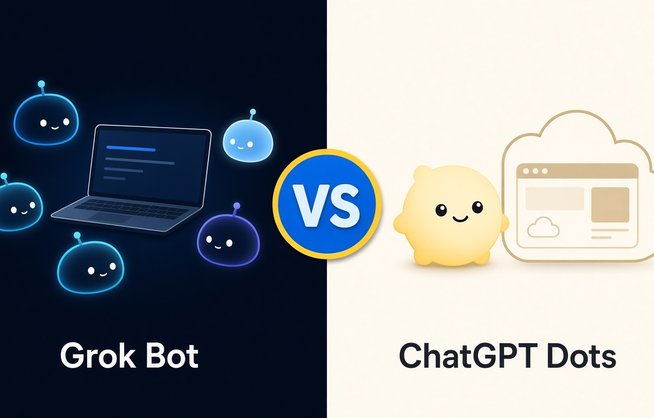
Want an AI that does the work instead of just talking about it? Two of the biggest names in AI now sell exactly that pitch. Grok Bot gives you a team of named Bots that share a cloud computer, and OpenAI's ChatGPT dots give you an always-on agent with a cloud computer of its own.
Both can browse, use your connected apps, run on a schedule and ask before doing anything risky. On paper they sound almost identical, but they differ a lot on price, on where you can use them and on how many agents you get. We went through the official documentation for both products, so every price and feature below comes straight from SpaceXSI, Cursor and OpenAI. Here's how they compare, and who each one suits.
What Is Grok Bot?
Grok Bot calls itself "your proactive AI teammate". Instead of one assistant, you create Bots with names and jobs: one might sort your inbox, another might run a marketing campaign, a third might keep your calendar in sync. Each Bot keeps its own memory and role, and you work with it by sending messages, voice notes or starting a voice chat.
The key detail is the computer. All your Bots share one persistent cloud computer with a browser, a file system and a terminal. Files, sign-ins and browser sessions stay put between tasks, so one Bot can pick up where another left off, and work carries on while your laptop is closed. Bots can work in parallel, message each other and hand a task over, and you can save a successful task as a skill, then turn it into a routine that runs on a schedule or when something happens.
Grok Bot is not the same thing as the Grok chat app. It's a separate app that signs in with a Cursor account and is sold as part of The X Subscription, alongside Grok, Cursor and X Premium.
What Are ChatGPT Dots?
OpenAI introduced dots on September 29, 2026 as "remarkably capable, always-on agents built to handle everything". A dot lives inside ChatGPT. You give it a name, pick a character or a pet for it, and hand it a responsibility to own, such as a product launch, a research project or an app that needs bug fixes.
Like Grok Bot, a dot has its own cloud computer and browser, and it keeps working between conversations. It starts with context from your ChatGPT memory, uses Codex and your connected apps to get things done, and messages you when it has work to review or a decision that needs you. When you aren't talking to it, it does what OpenAI calls "proactive research", looking through your connected apps with read-only tools for ways to help.
OpenAI says dots are powered by GPT-6 Astra, and on November 3, 2026 it added GPT-6.1 Terra to the models a dot can draw on.
Pricing
This is the biggest gap between them. Grok Bot is included in The X Subscription's Premium plan at $30 a month ($300 a year), Super at $100 a month and Ultra at $200 a month. The $8 Plus plan and the Free plan don't include it. Your Bots draw from the same weekly usage pool as Grok and Cursor, and higher plans get bigger pools: SpaceXSI rates Premium at 4x the usage of Plus, Super at 15x and Ultra at 50x. If you run out before the weekly reset, you can keep going with prepaid top-ups. Some accounts also get a trial: a usage credit with a 7-day window that never turns into a paid plan on its own.
Dots don't have a price of their own. Your first dot is included at no extra cost in ChatGPT Pro, which comes in three monthly tiers: Pro 100 at $100, Pro 200 at $200 and Pro 500 at $500. It's also included with Business Premium, while Enterprise workspaces pay for dots with flat rates or by consumption once the free preview ends on November 18, 2026. Talking to your dot doesn't count toward your ChatGPT usage limits, but tasks it starts in Codex or ChatGPT Work do. Pro is billed monthly only.
So the cheapest way into Grok Bot is $30 a month, and the cheapest way to get a personal dot is $100 a month. Prices exclude tax on both sides.
Availability
Grok Bot comes with every Premium, Super and Ultra plan on The X Subscription, for individuals and team seats, and SpaceXSI says it's making The X Subscription available to everyone globally. Older Cursor paid plans and Cursor Teams include it too, and some SuperGrok and X Premium+ subscribers can link their account to get access.
Dots have more strings attached. On Pro, they're rolling out to users aged 18 and older, but not in the European Economic Area, Switzerland or the UK. Business Premium users get them in supported ChatGPT regions, and Enterprise, Edu and Healthcare workspaces get them when an admin turns them on (from November 18 they're on by default unless the admin opts out). OpenAI also says the rollout is gradual and can take several days to reach your account. If you live in Europe and pay for Pro, you can't get a personal dot yet.
Apps and Platforms
Grok Bot has a desktop app for macOS (Apple silicon and Intel), Windows (x64 and Arm64) and Linux (x64 and Arm64), plus apps for iPhone (iOS 18 or later), iPad and Android (Android 9 or later). The phone apps reach the same Bots, conversations, routines and cloud computer, so you can approve a step or take over the computer from your phone. You can also chat with your Bots in X Chat, tag @bot on X to hand a post to a Bot, and talk to a Team Bot in Slack.
Dots live in ChatGPT on the web, desktop and mobile, and you can message or call your dot there. You set one up in the ChatGPT desktop app, on desktop web or in the iOS or Android app, but dots don't work on mobile web. You can also message your dot in Slack and Microsoft Teams, and texting over iMessage or RCS is in beta for a limited number of Pro users in the US, Canada and Mexico. At launch, a dot can't call you.
Computer Use
Both products give the agent a real computer in the cloud, and both let you watch it work. In Grok Bot you click the computer preview to see clicks, typing and navigation as they happen. Each Bot gets its own screen on your shared computer, so several Bots can browse at once, and only you decide whether a Bot may run commands on your own desktop. By default it asks each time.
Each dot works on its own cloud computer, and you can open it from the dot's profile, take over and hand control back. Access to your own computer is off by default; you switch it on in the ChatGPT desktop app, and that machine has to stay online with the app open.
The difference is in the design. Grok Bot's shared computer means your Bots share files, logins and browser sessions, which makes handoffs easy, but the official docs are clear that separate Bots are not a security boundary. A dot's computer belongs to that dot, and your local machine stays separate unless you connect it.
Connected Apps
OpenAI says dots can connect to more than 4,000 apps through its plugin ecosystem, and they share plugin permissions with ChatGPT, ChatGPT Work and Codex. That's a big head start if you already use ChatGPT's apps.
Grok Bot doesn't publish a count. It has a catalog of connected apps such as Gmail, Google Drive, Notion and Slack, and a Bot can install one for you and then show a sign-in card. If a service isn't in the catalog, you or a Bot can add your own MCP server by URL or by command, and for sites with no app at all, the Bot simply uses the browser. App logins are held on Cursor's connector backend, so the Bot calls tools without seeing your tokens.
Automation
Grok Bot is the more hands-on automation tool. A skill is a saved method for a task, and a routine tells a Bot when to run it: on a schedule, or when something happens, such as a Slack message, a GitHub, Linear, Sentry or PagerDuty event, an email to your Bot's own address or a webhook call. Routines run in the cloud, you can pause them with a switch, and you can test-run them. Where the Teach a task feature has rolled out, you can record a browser workflow of up to ten minutes and the Bot turns it into a draft skill.
Dots lean on judgment rather than triggers. You can ask a dot for a reminder or a recurring check and manage it under Scheduled in ChatGPT, but the bigger idea is that the dot decides when to pause and wake up again, tracks progress on its own and uses background agents to work on several things at once.
One Agent or a Team?
Today, you get one personal dot. OpenAI says you'll be able to add more dots in the future, and it's previewing "specialist dots" with their own identity and credentials for companies, starting with focused enterprise pilots.
Grok Bot is built around several Bots from day one. You can run several Bots in parallel, give each one a job, add them to group chats and let them pass work along, for example one Bot pulls the week's numbers, another drafts a campaign from them and a third reviews it before it reaches you. There's also a marketplace of prebuilt Bots and a way to share a copy of your own Bot with a link.
Safety and Control
Both products put you in charge of risky actions, and they use similar ideas. Dots check actions that could affect your accounts or share information with auto-review, and you can write Custom Rules to allow an action, require approval or block it. Some steps, such as changing a password, always stay with you, and dots can sign in to supported websites with saved passwords without showing them to the model. You can pause a dot at any time.
Grok Bot uses Auto-review rules and Ask first rules for actions like sending, publishing, deleting or buying. Bots sign in with logins from a vault, a connected password manager or a secure form without seeing the values, and human-only steps such as CAPTCHAs or passkeys go to you through a computer takeover. If you hand any agent your logins, it's worth pairing it with a good password manager and two-factor authentication.
On data, OpenAI doesn't use Business, Enterprise or Edu content to train its models by default, and personal plans can opt out. Grok Bot follows your Cursor account and privacy settings.
Models
With dots, you know what's under the hood: OpenAI's own frontier models, GPT-6 Astra and now GPT-6.1 Terra, with the dot choosing between them for different parts of a job.
Grok Bot doesn't let you pick. There's no model picker, and for each task it routes to whichever backend model it expects to do the best job, which can be a SpaceXSI model or a third-party one. It doesn't show which model handled a request, and usage is counted as Grok Bot usage either way.
Grok Bot vs ChatGPT Dots: FAQ
Grok Bot vs ChatGPT Dots: Verdict
There's no single winner here, because the two products are built for different people.
Grok Bot wins on price, reach and flexibility. It starts at $30 a month instead of $100, it doesn't carry the Europe exclusion that keeps dots off Pro plans there, its desktop app covers Linux too, and it gives you a whole team of Bots with event-driven routines, custom MCP servers and skills you can teach by demonstration. If you want several agents running different jobs, or you're watching your budget, it's the easier pick.
ChatGPT dots win if you already live in ChatGPT. You get a single, more self-directed agent that carries your ChatGPT memory, runs on named OpenAI models, plugs into more than 4,000 apps and reaches you in Slack, Teams and, for some users, by text. If you already pay for ChatGPT Pro outside Europe, your first dot costs nothing extra, and that's hard to argue with.
Whichever you choose, start with one small, clearly scoped job, keep approvals on for anything that sends, buys or deletes, and review the results before you trust either one with more.
Last updated: November 14, 2026

Nuno
Nuno Sá Pessoa is an award-winning filmmaker whose films have been shown in more than 200 film festivals and venues from around the globe.
He also has a passion for self-education, self-expression, freedom, privacy, and independence, all of which led to the creation of RushRadar.